How to File Income Tax Returns (ITR) Online?
Filing your Income Tax Return (ITR) is a simple process when done step by step. It involves submitting a form where you report your annual income and other financial details to the Income Tax Department. This includes earnings from salary, business profits, property sales, capital gains, dividends, interest, and more.
Every taxpayer is required to pay tax based on their total income for the year. If you have paid more tax than required, the excess amount is refunded by the Income Tax Department after processing your return.
Is Filing ITR Compulsory for All Indians?
As per income tax rules, filing an ITR is mandatory if your income exceeds the basic exemption limit set by the government. The applicable tax depends on the income slabs for that financial year. Filing after the due date may lead to penalties and can also create issues while applying for loans or visas.
However, there are certain exceptions where filing may not be required:
Individuals below 60 years of age with a gross total income of less than ₹2.5 lakh (before deductions) are not required to file an ITR.
For resident senior citizens aged between 60 and 80 years, the exemption limit is ₹3 lakh, while for super senior citizens above 80 years, it is ₹5 lakh.
Resident individuals aged 75 years or above, having only pension and interest income, are not required to file returns under specified conditions.
The due date for filing income tax returns is 30 December 2024. The government’s updated income tax portal has made the filing process more streamlined and user-friendly, even though some taxpayers may initially find it unfamiliar.
At present, there are multiple ways available to file your income tax return through the new Income Tax Portal, making the process more flexible and convenient.
Who Is Not Required to File ITR?
Under the old tax regime, the following individuals are generally not required to file an Income Tax Return:
Individuals below 60 years of age with a gross total income of less than ₹2.5 lakh (before claiming deductions) are not required to file an ITR.
Resident senior citizens between 60 and 80 years of age are exempt if their gross total income is below ₹3 lakh.
Super senior citizens aged 80 years and above are not required to file if their income is below ₹5 lakh.
Resident individuals aged 75 years or above, having only pension income and interest from the same bank, are exempt from filing if the bank deducts TDS under Section 194P.
Under the new tax regime, the exemptions are as follows:
Individuals with total income up to ₹3 lakh (before deductions) are not liable to pay tax and are generally not required to file an ITR.
If your total income, after applying the rebate under Section 87A (up to ₹7 lakh), results in zero tax liability, filing is not compulsory. However, it is still advisable to file if you want to claim a refund, carry forward losses, or use the ITR as proof of income.
It is important to note that, unlike the old regime, the new tax regime does not provide higher exemption limits for senior citizens. The same income thresholds apply to all individuals.
The due date for filing the Income Tax Return for Financial Year 2025–26 (Assessment Year 2026–27) is expected to be 31 July 2026 for individuals who are not subject to audit. The Income Tax Department has simplified the process through its e-filing portal, making it easier for taxpayers, including beginners, to submit their returns online.
Currently, taxpayers have multiple options available to file their income tax returns using the updated Income Tax Portal.
Ways to File Income Tax Returns
For FY 2024–25, taxpayers can file their Income Tax Returns using two methods:
Online mode
Offline mode
Online Mode
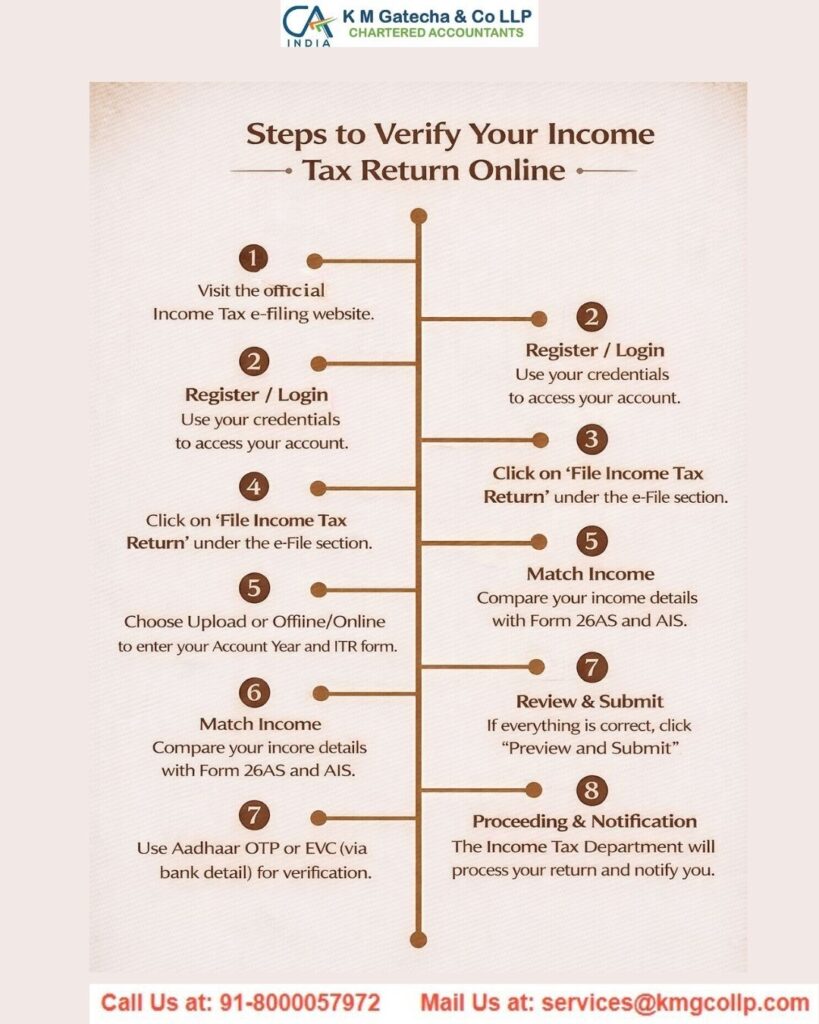
The online method is the most commonly used and involves the following steps:
Step 1: Log in to the Income Tax e-Filing portal using your PAN and login credentials.
Step 2: Go to the Income Tax Return section, choose the applicable ITR form, and begin filing your return online.
Step 3: After submitting the return, you must complete e-verification within 30 days.
Step 4: You can verify your return using any of these methods:
Aadhaar OTP, which requires your Aadhaar to be linked with your mobile number.
Net banking through authorised banks connected with the portal.
Electronic Verification Code (EVC) via a pre-validated bank account.
EVC through a pre-validated Demat account.
Digital Signature Certificate (DSC), which is mandatory in certain cases such as companies.
Step 5: Once your return is verified and submitted, you can check it under the “My Account > e-Verify Return” section or by sending a signed ITR-V to CPC if required.
Step 6: You can also view your filed returns anytime through your account on the portal.
Offline Mode
If you prefer filing offline, you can use the Income Tax Department’s Common Offline Utility (COU):
Step 1: Download the Common Offline Utility from the e-Filing portal under “Downloads > IT Return Preparation Software.”
Step 2: Fill in all the required details in the utility without internet access.
Step 3: Validate the information and generate a JSON file (XML format is no longer supported).
Step 4: Log in to the e-Filing portal and upload the generated JSON file under the Income Tax Return section.
Step 5: Complete the verification process using Aadhaar OTP, bank account, or other available options. If you do not e-verify, you must send a signed ITR-V to the Centralised Processing Centre in Bengaluru.
Note: Excel and Java utilities, as well as XML uploads, are no longer supported for filing ITR.
Step-by-Step Guide on How to File Income Tax Returns Online
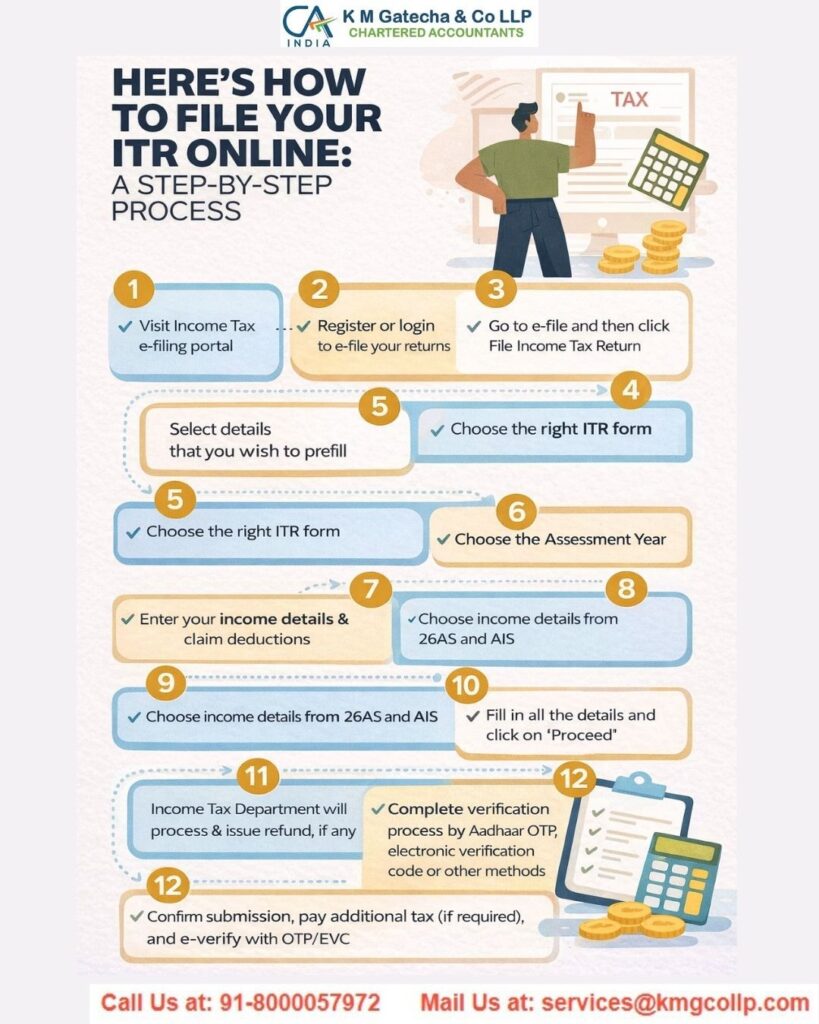
Below is a simplified step-by-step process to file your Income Tax Return (ITR) online:
1. Login to the e-Filing Portal
Step 1: Visit the Income Tax e-Filing portal and log in using your PAN and password.
Step 2: Click on the “e-File” menu and select the “Income Tax Return” option.
2. Go to the Income Tax Return Page
Your PAN will already be filled in automatically.
Choose the relevant Assessment Year.
Select the correct ITR form.
Pick the filing type as “Original” or “Revised Return.”
Select “Prepare and Submit Online” as the submission mode and click “Continue.”
3. Fill in the ITR Form
Read all instructions carefully before proceeding.
Enter all required details in the form, ensuring that mandatory fields are completed accurately.
4. Complete e-Verification of Your ITR
Step 1: Go to the “Taxes Paid and Verification” section and select the appropriate verification option.
Step 2: Choose one of the following:
– Verify your return immediately
– Verify later within the allowed time period
– Send a signed ITR-V to the Centralised Processing Centre in Bengaluru within the specified time
Step 3: Click on “Preview and Submit.”
Step 4: Review all the entered details carefully.
Step 5: Click “Submit” to file your return.
Step 6: If you choose to e-verify, you can do so using:
– Aadhaar OTP (requires linked mobile number)
– Net banking through authorised banks
– Electronic Verification Code (EVC) via a pre-validated bank account
– EVC through a pre-validated Demat account
– Digital Signature Certificate (mandatory for certain taxpayers)
Step 7: Enter the OTP or EVC within the given time. If it expires, your return may still be submitted, but you will need to verify it later through the “My Account > e-Verify Return” option. Note that e-verification must be completed within 30 days, otherwise the return will be treated as invalid.
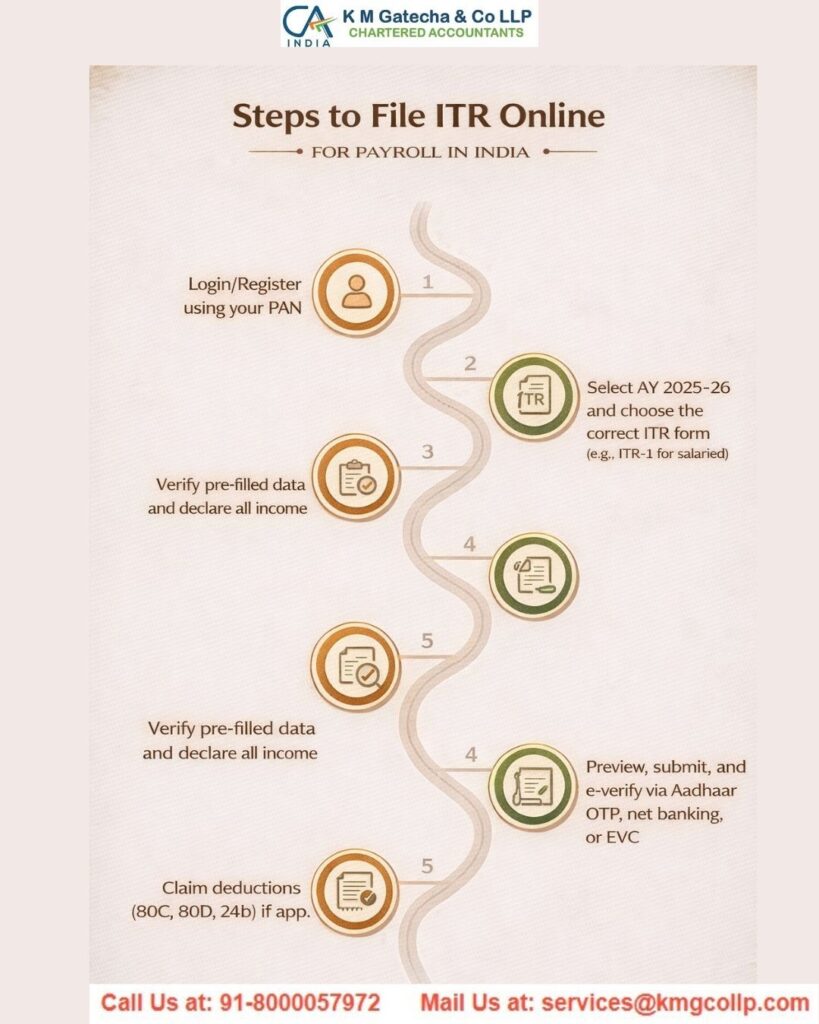
5. View Filed Return
After successful submission and verification, you can access and view your filed Income Tax Return anytime through your account on the portal.
Documents Required to File ITR
Keeping all necessary documents ready before starting your income tax filing is essential for a smooth and error-free process.
Here are the important documents you may need while filing your return online:
Bank and post office savings account passbooks.
PPF account passbook.
Salary slips for the relevant financial year.
Aadhaar Card.
PAN Card.
Interest certificates issued by banks or post offices.
Form 16, which is provided by your employer, contains details of your salary and TDS deducted.
Form 16A, required if TDS is deducted on non-salary income such as interest from fixed or recurring deposits.
Form 16B, applicable if you have sold a property and TDS has been deducted by the buyer.
Form 16C, issued by your tenant if TDS has been deducted on rent payments.
Form 26AS, a consolidated tax statement that includes:
– TDS deducted by your employer
– TDS deducted by banks or other entities
– Advance tax paid by you
– Self-assessment tax paid
Proof of tax-saving investments.
Documents supporting deductions under Sections 80D to 80U, such as health insurance premiums or education loan interest.
Home loan statement from your lender.
Annual Information Statement (AIS), which provides a detailed summary of your income, investments, and taxes.
Capital gains statement, if you have invested in shares, mutual funds, or sold property. This is usually available from your broker or asset management company.
Form 10E, required if you are claiming relief under Section 89(1) for salary received in arrears or advance.
Rent receipts, if you are claiming HRA under the old tax regime.
Details of foreign income, if applicable, for disclosure purposes.
Donation receipts, if you are claiming deductions under Section 80G.
Note: Always verify the TDS details in Form 26AS and AIS to ensure accuracy and avoid missing any income while filing your return.
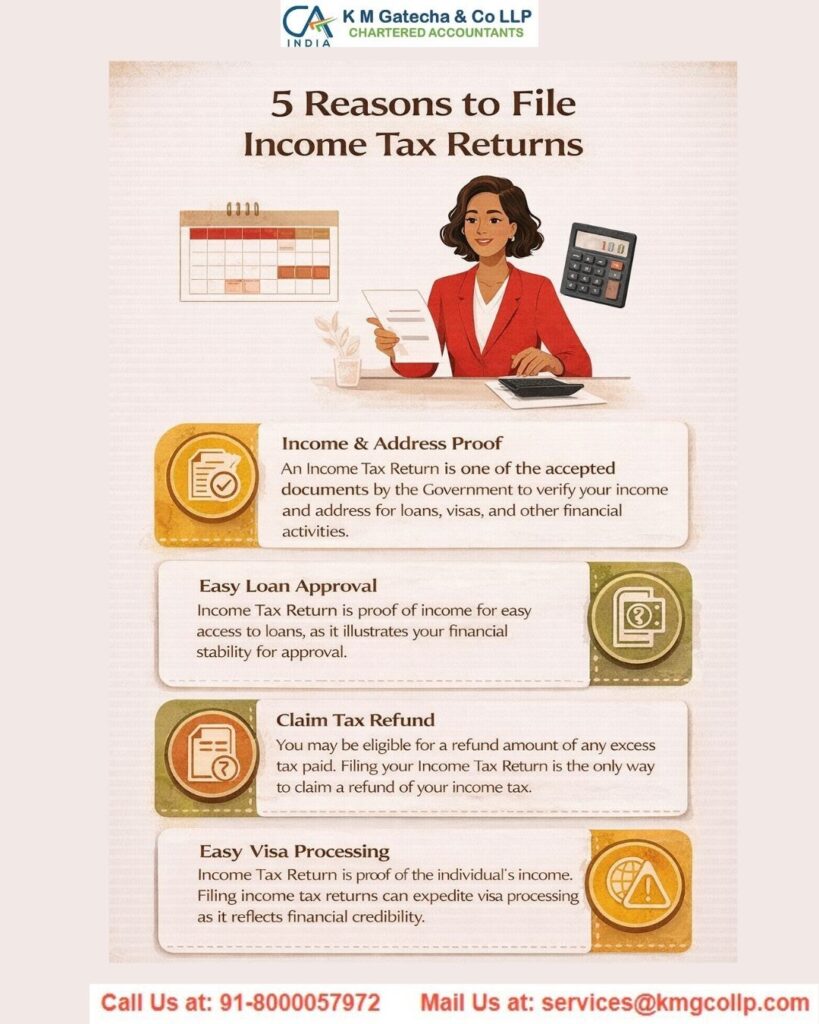
Benefits of Filing ITR Online
While income tax returns can also be filed offline, the online method offers several advantages:
Claiming a tax refund becomes quicker and more efficient when filing online. If excess tax has been paid through TDS or advance tax, submitting your ITR is necessary to receive the refund directly in your bank account.
For self-employed individuals and business owners, filing ITR online serves as valid proof of income, especially since Form 16 is only available to salaried employees.
When applying for loans such as home loans, vehicle loans, or personal loans, banks often ask for copies of your latest ITRs to assess your income and repayment capacity.
Filing your return online is essential if you want to carry forward certain losses, such as capital losses or business losses. It also helps maintain proper records for future claims.
ITR documents are often required during visa applications. Filing online ensures proper documentation and can support smoother processing for travel or business-related immigration purposes.
How to Download Income Tax Return
Downloading your filed return is important for verification and record-keeping. Once your ITR is submitted, the ITR-V (acknowledgement) is generated by the Income Tax Department. Follow these steps to download it:
Step 1: Log in to the Income Tax e-Filing portal.
Step 2: Go to “e-File” and select “Income Tax Returns,” then click on “View Filed Returns.”
Step 3: A list of returns filed for different assessment years will appear.
Step 4: Click on the acknowledgement number of the return you want to download.
Step 5: Choose the appropriate option:
– Download “ITR-V” if the return has not been e-verified
– Download “Return Receipt/Acknowledgement” if the return has already been verified
These files are password-protected PDFs. The password is a combination of your PAN (in lowercase) followed by your date of birth in DDMMYYYY format. For example, if your PAN is asdfp1234k and your date of birth is 10 April 1990, the password will be asdfp1234k10041990.
How to Check ITR Status Online
After filing and e-verifying your Income Tax Return, the status initially appears as “Verified.” Once the Income Tax Department completes processing, it changes to “ITR Processed.” You can check your return status in two ways:
Without Logging In
Visit the Income Tax e-Filing portal.
Click on the “ITR Status” option available under quick links on the homepage.
Enter your PAN, acknowledgement number, and captcha code.
Click “Submit” to view the current status of your return.
With Login
Log in to the Income Tax e-Filing portal using your credentials.
Navigate to “e-File” > “Income Tax Returns” > “View Filed Returns.”
Select the relevant assessment year.
Your return status, such as Verified, Processed, or Defective, will be displayed.
Note: If you are eligible for a refund, the status will update to “Refund Issued,” and you can track it from the same section.
How to File Income Tax Returns Offline
For taxpayers who prefer not to file online, the Income Tax Department provides a Common Offline Utility (COU). This option is helpful for those handling detailed returns or working without a continuous internet connection.
Step 1: Download the Utility
Visit the Income Tax e-Filing portal.
Go to “Downloads” and select “IT Return Preparation Software.”
Download the relevant utility based on your ITR form and system compatibility.
Step 2: Install and Open the Utility
Extract the downloaded ZIP file.
Open the utility file (usually in .exe or .jar format).
Step 3: Enter Required Details
Fill in all applicable and mandatory fields.
Use the “Validate” option to check each section.
Click “Calculate Tax” to determine your tax payable or refund amount.
Step 4: Create JSON File
Preview your completed form.
Generate a JSON file, which is the required format for uploading your return.
Step 5: Upload the File
Log in to the e-Filing portal.
Go to “e-File” > “Income Tax Return” > “Upload JSON.”
Select the correct assessment year and ITR form, then upload the file.
Step 6: Complete e-Verification
Verify your return using one of the available methods:
Aadhaar OTP
EVC via pre-validated bank account
EVC via pre-validated Demat account
Digital Signature Certificate (mandatory for certain taxpayers)
Step 7: View Filed Return
After submission, you can check your return under “e-File” > “Income Tax Returns” > “View Filed Returns.”
Note: You can also download a pre-filled XML file from the portal (My Account > Download Pre-Filled XML) and import it into the utility to auto-fill personal and financial details.
All individuals and entities earning income in India—whether individuals, firms, LLPs, local authorities, or Hindu Undivided Families—are required to pay taxes as per the applicable laws. Filing your Income Tax Return every year is an essential part of complying with these regulations.
Disclaimer: The content on this website is for informational purposes only and does not constitute legal, financial, or professional advice. Please consult qualified experts before acting on any information. K M GATECHA & CO LLP accepts no liability for errors, omissions, or outcomes from the use of this content. This site is not an advertisement or solicitation.