PAN Card Status: How to Track Your PAN Application Easily?
No matter whether you applied for your PAN card online or offline, you can easily track its status through multiple methods, such as:
- Checking PAN card status online using your 15-digit acknowledgment number
- Tracking PAN status via phone call
- Checking PAN status through SMS
- Getting updates through the call center
- Checking PAN status via WhatsApp
Continue reading this guide to learn the step-by-step process for checking your PAN card status quickly and easily.

How to Check or Know Your PAN Card Status?
You can easily track your PAN card application status through different methods such as calling customer care, sending an SMS, using WhatsApp, or visiting the official websites of NSDL or UTIITSL. To check the status, you will need your 15-digit acknowledgment number or basic application details.
1. Check PAN Card Status by Call
You can contact the TIN call centre and provide your 15-digit acknowledgment number to know your application status.
Helpline Numbers:
- 020-27218080 (7:00 am to 11:00 pm, all seven days)
- 08069708080 (Available 24 hours)
After sharing your acknowledgment number, you will receive an update on your PAN application status.
2. Check PAN Card Status via SMS
You can also track your PAN application through SMS by following these simple steps:
Step 1: Open the SMS app on your phone.
Step 2: Type the message in this format:
NSDLPAN <15-digit acknowledgment number>
Step 3: Send the message to 57575.
Example:
If your acknowledgment number is 097250157497256, type:
NSDLPAN 097250157497256
and send it to 57575.
You will receive an SMS with your current PAN application status.
3. Check PAN Card Status via WhatsApp
You can check your PAN status using WhatsApp by following these steps:
Step 1: Open WhatsApp and send “Hi” to 8096078080.
Step 2: Provide your consent when prompted to receive updates from Protean eGov Technologies Limited.
Step 3: Select the “Services” option.
Step 4: Choose “Status of Application” from the list.
Step 5: Click on “PAN Application” and enter your 15-digit acknowledgment number.
You will then receive the status of your PAN card application.
4. Check PAN Card Status Online
You can also check your PAN status online by visiting the official website of NSDL or UTIITSL. Simply enter your acknowledgment number and follow the instructions provided on the portal to view your application status.

How to Check PAN Card Status on the NSDL Website
Step 1: Go to the official TIN NSDL website.

Step 2: From the drop-down menu, choose “PAN – New/Change Request.”
Step 3: Select “Acknowledgement Number,” enter your 15-digit acknowledgment number and the captcha code, then click on “Submit.”
Your PAN application status will be displayed on the screen.
Please note that the status can usually be checked online only after 24 hours from the time you submit your PAN card application.
How to Check PAN Card Status on the UTIITSL Website
Step 1: Visit the official UTIITSL website.
Step 2: Click on the “Track PAN Card” tab.

Step 3: Enter your Application/Coupon Number and Date of Birth, then click on “Search.”
Your PAN card application status will be displayed on the screen.

How to Check PAN Card Status Using the Acknowledgement Number?
If you applied for your PAN card through the NSDL website, you can track your application status on the same NSDL portal by entering your 15-digit acknowledgement number.
Likewise, if you submitted your application through the UTIITSL website, you must visit the UTIITSL portal and use your acknowledgement number there to check the status.
In simple terms, your PAN status can be checked only on the website where you originally applied.
How to Check PAN Card Status Without an Acknowledgement Number?
TIN-NSDL (now known as Protean) also provides an option to track your PAN application even if you do not have the acknowledgement number.
Applicants can check the status of a new or duplicate PAN card by using details such as their name and date of birth. To do this, visit the NSDL portal and follow the steps to track your PAN status using the required personal information.
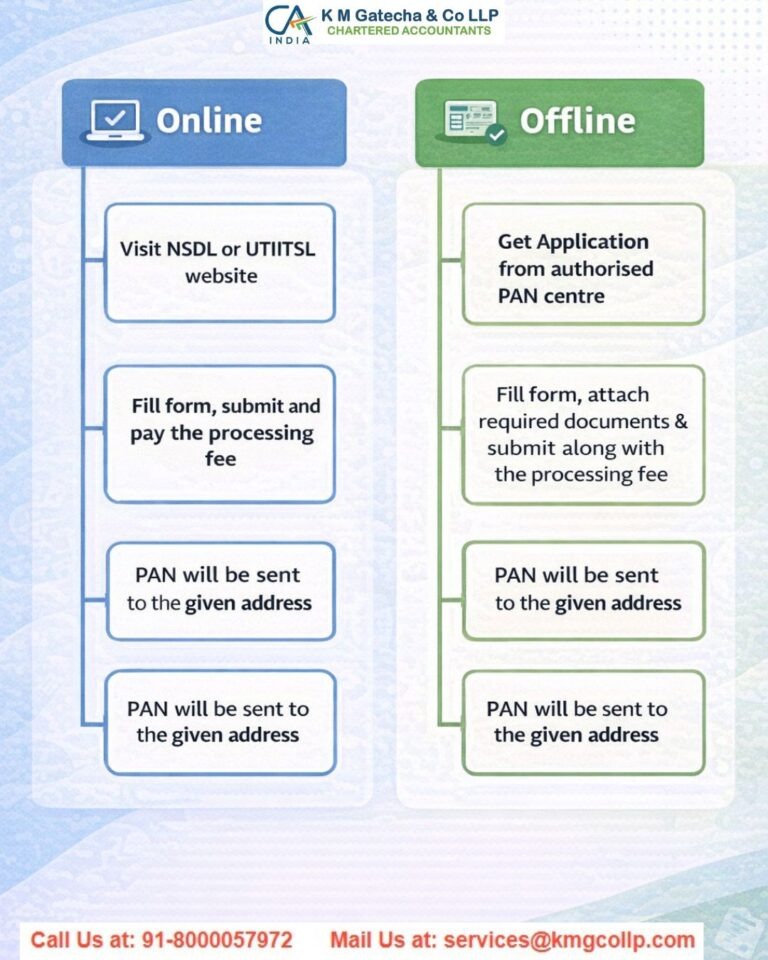
Steps to Check PAN Card Status Without an Acknowledgement Number
Step 1: Visit the official TIN-NSDL website.

Step 2: In the ‘Application Type’ section, select ‘PAN – New/Change Request’.
Step 3: Choose the ‘Name’ option and enter your Last Name, First Name, Middle Name, and Date of Birth.
Step 4: Click on the ‘Submit’ button to view your PAN card application status.
How to Check PAN Card Status Using Name and Date of Birth?
You can also track your PAN application status by following these simple steps:
Step 1: Go to the TIN-NSDL website.
Step 2: Select ‘PAN – New/Change Request’ under the Application Type section.
Step 3: Choose the ‘Name’ option, enter your Last Name, First Name, Middle Name, and Date of Birth, and click ‘Submit’.
Your PAN card application status will then be displayed on the screen.
How to Check PAN Card Status Using a Coupon Number?
If you applied for your PAN card through the UTIITSL website, you can track the status using the coupon number provided at the time of application. Follow these steps:
Step 1: Visit the UTIITSL website.
Step 2: Click on the ‘Track PAN Card’ option.
Step 3: Enter your Coupon Number and Date of Birth, then click on ‘Search’.
The current status of your PAN application will appear on the screen.
Documents Required to Check PAN Card Status
To track your PAN application, keep the following details ready:
- Acknowledgement Number received after applying through the NSDL (Protean) website.
- Application/Coupon Number received after applying through the UTIITSL website.
How to Check PAN Card Payment Status?
After making an online payment for your PAN application, you can verify the payment status by following these steps:
Step 1: Visit the official Protean eGov Technologies Limited website.
Step 2: Go to ‘Services’, select ‘PAN’, and click on ‘Apply Now’.
Step 3: Scroll down and choose ‘Know Status of Your Credit Card/Debit Card/Net Banking Transaction for Online Application’.
Step 4: Select either ‘Transaction Number’ or ‘Acknowledgement Number’ and enter the relevant details.
Step 5: Provide your Last Name, First Name, Middle Name, and Date of Birth, then click on ‘Show Status’.
Your PAN application payment status will be displayed on the screen.

How to Check Aadhaar–PAN Link Status?
To verify whether your PAN is linked with Aadhaar, follow these steps:
Step 1: Visit the Income Tax e-Filing portal.
Step 2: Under the ‘Quick Links’ section, click on ‘Link Aadhaar Status’.
Step 3: Enter your PAN and Aadhaar Number, then click on ‘View Link Aadhaar Status’.
Step 4: The linking status will be shown on your screen.
How to Track Instant e-PAN Using Aadhaar?
An e-PAN is a digital version of your PAN card that can be downloaded immediately after completing your application and payment. To check its status:
Step 1: Visit the Income Tax e-Filing website.
Step 2: Click on ‘Instant e-PAN’ under the ‘Quick Links’ section.
Step 3: Under the ‘Check Status/Download e-PAN’ tab, click ‘Continue’.
Step 4: Enter your Aadhaar Number and click ‘Continue’.
Step 5: Enter the OTP received on your registered mobile number and click ‘Continue’.
Step 6: The status of your e-PAN will be displayed on the screen.
PAN Card Application Status via Mobile App
You can also track your PAN card status through mobile applications. Download the ‘TIN-NSDL PAN’ app for NSDL applications or the ‘UTI PAN Card Services’ app for UTIITSL applications. After logging in, select the ‘Track PAN Status’ option, enter your acknowledgement or application number, and instantly view the status.
How to Track PAN Card Delivery Through India Post?
Once your PAN card is dispatched, you will receive a consignment number via SMS or email. To track delivery:
Step 1: Visit the India Post tracking website.
Step 2: Enter your Consignment Number in the tracking field.
Step 3: Fill in the captcha code and click on ‘Track Now’.
Step 4: You will see real-time updates about your PAN card’s location and delivery status.
Tracking your PAN card status is simple and convenient. Whether you use online portals, SMS, calls, WhatsApp, mobile apps, or postal tracking, multiple options are available to help you stay updated. Keep your application details handy to ensure a smooth and hassle-free tracking experience.
Disclaimer: The content on this website is for informational purposes only and does not constitute legal, financial, or professional advice. Please consult qualified experts before acting on any information. K M GATECHA & CO LLP accepts no liability for errors, omissions, or outcomes from the use of this content. This site is not an advertisement or solicitation.